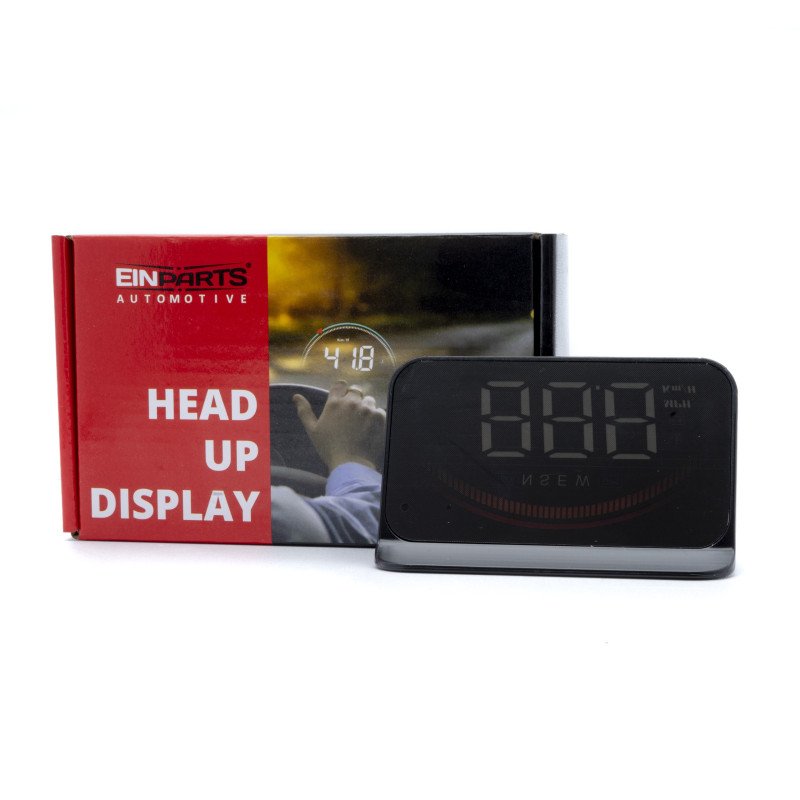
Car Head Up Display
HUD short for Head Up Display. It displays driving data on the car windshield such as speed, RPM, water temperature, voltage, single mileage etc; avoiding drivers unsafely because of watching the instrument while driving. Drivers can read the driving information instantly, and always keep the best state on the way with HUD.
OBD Information:
- travel speed,
- engine speed,
- voltage,
- temperature of water,
- driving mileage
- Aarms:Speed alarm,
- high water temperature,
- low voltage GPS information:
travel speed,
voltage, satellite numbers
Alarms:
over speed alarm,
voltage alarm;
Function:
original with hood,
anti-glare at night, dual OBD + GPS system "
Screen size: 3.5 inch / 90x54x12mm
Product function
1.Light sensor:HUD can automatically adjust the brightness according to the environment
2.Decorative lights: short press in button to turn it off
3.RPM icon: Engine speed in OBD mode, and speed progress bar in GPS mode.
4.Multiple functions:Speed,water temperature,voltage,satellite numbers,driving distance
5.OBD system: after power on, OBD light flickers, press button within 5 seconds to switch GPS system
6.Driving direction: when the car speed exceeds 5KM/H, will display the driving direction. W=West, N=North, S=South, E=East
7.GPS system: after power on, GPS light flickers, press button within 5 seconds to switch OBD system GPS icon flashing to search the satellite, after received the satellite signal, the GPS light will be off after 5 seconds
8. Icon for Water temperature and battery voltage
9.Speed unit:KM/H=kilometer/hour, MPH=Mile/hour
Button functions
Short press means press for 1 second long press means press for 5 seconds, donnot release the button until the display image changed
1. a. short press ”M” button
(1) OBD system: switching voltage / water temperature /speed
(2) GPS system: switching voltage/ satellite numbers /speed
(3) When Enter menu mode,short press is to switch menu values or parameter values
b.Long press ”M” button: enter the setting menu ( 1-12 ). After adjusting, long press again for 5 seconds to save and exit.
2. a. Short press ”-” button:
(1) When power on,the screen flickers,short press ”-” within 5 seconds can switch the OBD system or GPS system
(2) Decrease the menu or parameter value after entering the setting.
b. Long press ”-” button: turn off the buzzer, press and hold again for 5 seconds to turn on buzzer
3. a. Short press ”+” button:
(1) When power on, the screen flickers, short press within 5 seconds can switch OBD system or GPS system,
(2) Increase the menu or parameter value after entering the setting.
b. Long press ”-” button for 5 s, all lights on, to eliminate the fault code, do it again to save and exit.
4. Power switch : long press to turn off, do it again, turn on.
5. Connection port 1, connects to the cable
6. Connection port 2, connects to the cable, users can choose one of them.
Included:
Display
Wiring (OBD)
Non-slip mat
Anti-reflective foil